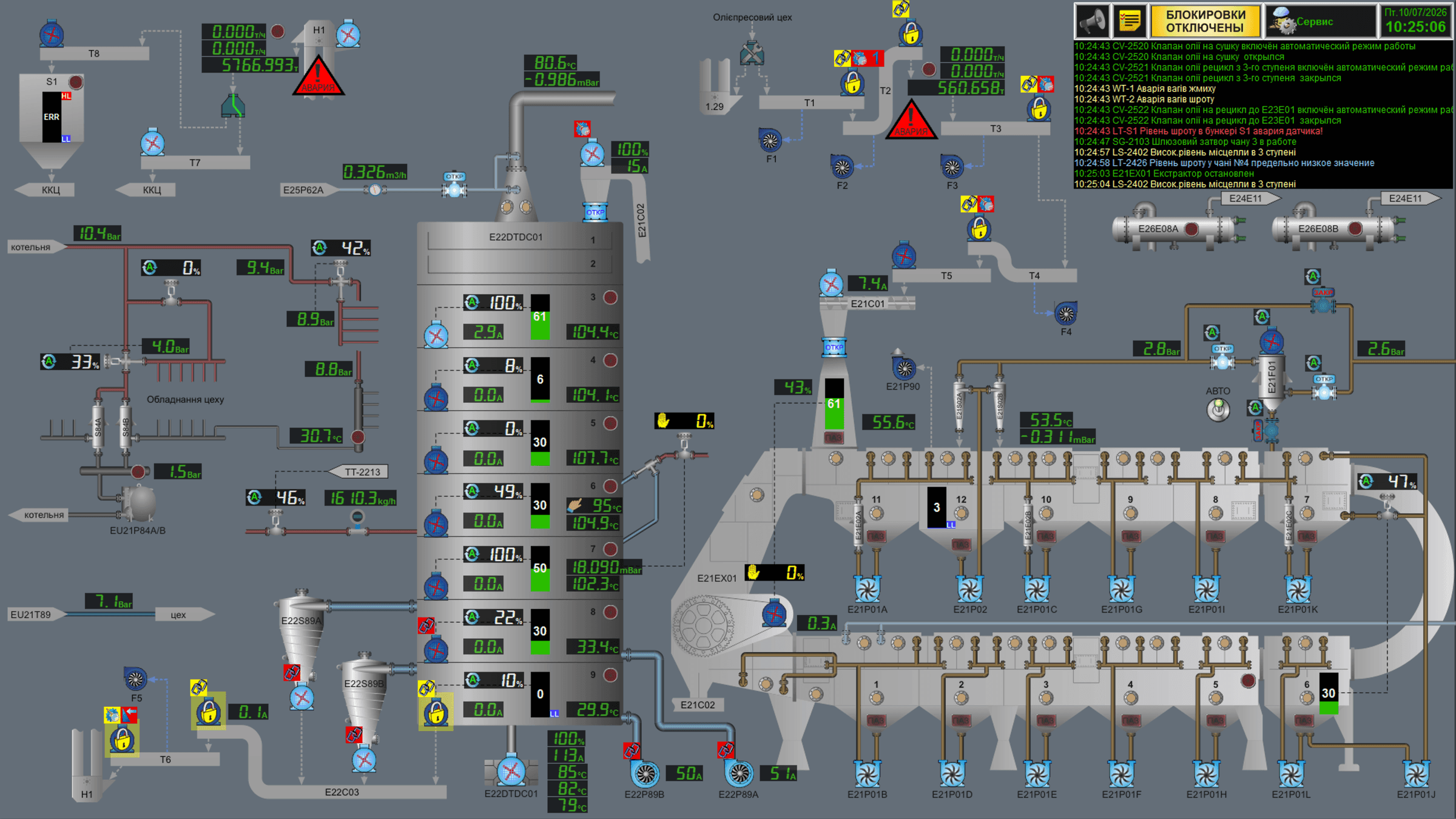
HMI and SCADA Development: What It Looks Like in Practice
The terms HMI and SCADA are often used as synonyms, although they are different levels of the same system. HMI (Human-Machine Interface) is a local operator panel next to a specific unit: it shows the state of that particular machine and lets the operator control it. SCADA is the level above it: a system that gathers data from every HMI/PLC on the line into a single dispatch view, stores parameter history, and generates plant-wide alarm notifications.
What development looks like in practice — project stages
🔍 Technical survey of the line. First we record what equipment the customer already has, which sensors and actuators exist on each unit, and which parameters can actually be captured for display and control.
🖼️ Building the mimic diagram. The screen reproduces the actual process scheme of this specific production — the units, piping, flow directions — not a generic one-size-fits-all template. The operator sees the line the way it actually stands on the shop floor.
🗂️ Building the tag database. Every physical signal (a temperature sensor, a valve state, a flow reading) is mapped to a specific element on screen — this is the layer that connects the real equipment to the picture on the monitor.
💻 Programming the logic. Control algorithms, interlocks and alarm thresholds — everything that makes the system a real control tool rather than just a pretty picture.
🧪 Testing before start-up. We first verify the logic on a test bench without connecting real equipment (a factory acceptance test), and only then move to commissioning directly at the customer's site.
🎓 Operator training. We hand over not just the finished system but also documentation, and train staff to work with it — this is just as important as the development itself.
Why not an off-the-shelf template
A ready-made template HMI almost always either hides parameters that matter for this specific line, or overloads the screen with data this particular operator does not need. A custom build for the specific line means the screen shows exactly what is needed to make a decision — no more, no less. That directly shortens the time to train a new operator and reduces the risk of error caused by a confusing interface.
Related service: HMI & SCADA development.